

APEXTRACE / 0.4.0 BETA
ApexTrace 0.4.0 — Lap comparison, browser analysis and themes
Compare GT7 laps by distance or time, share sessions for browser analysis and choose from seven appearance themes.
0.4.0 beta
Telemetry and lap comparison
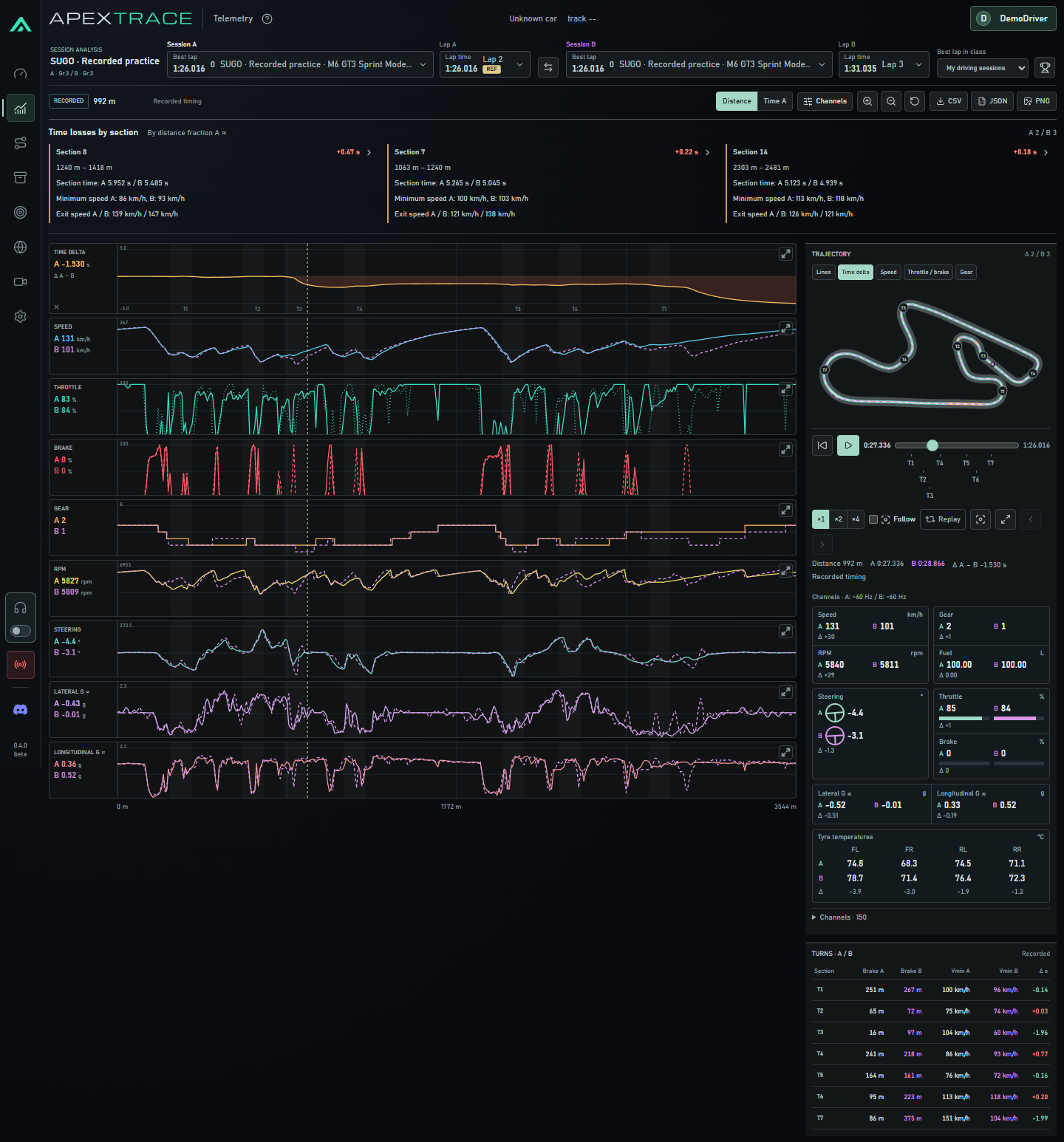
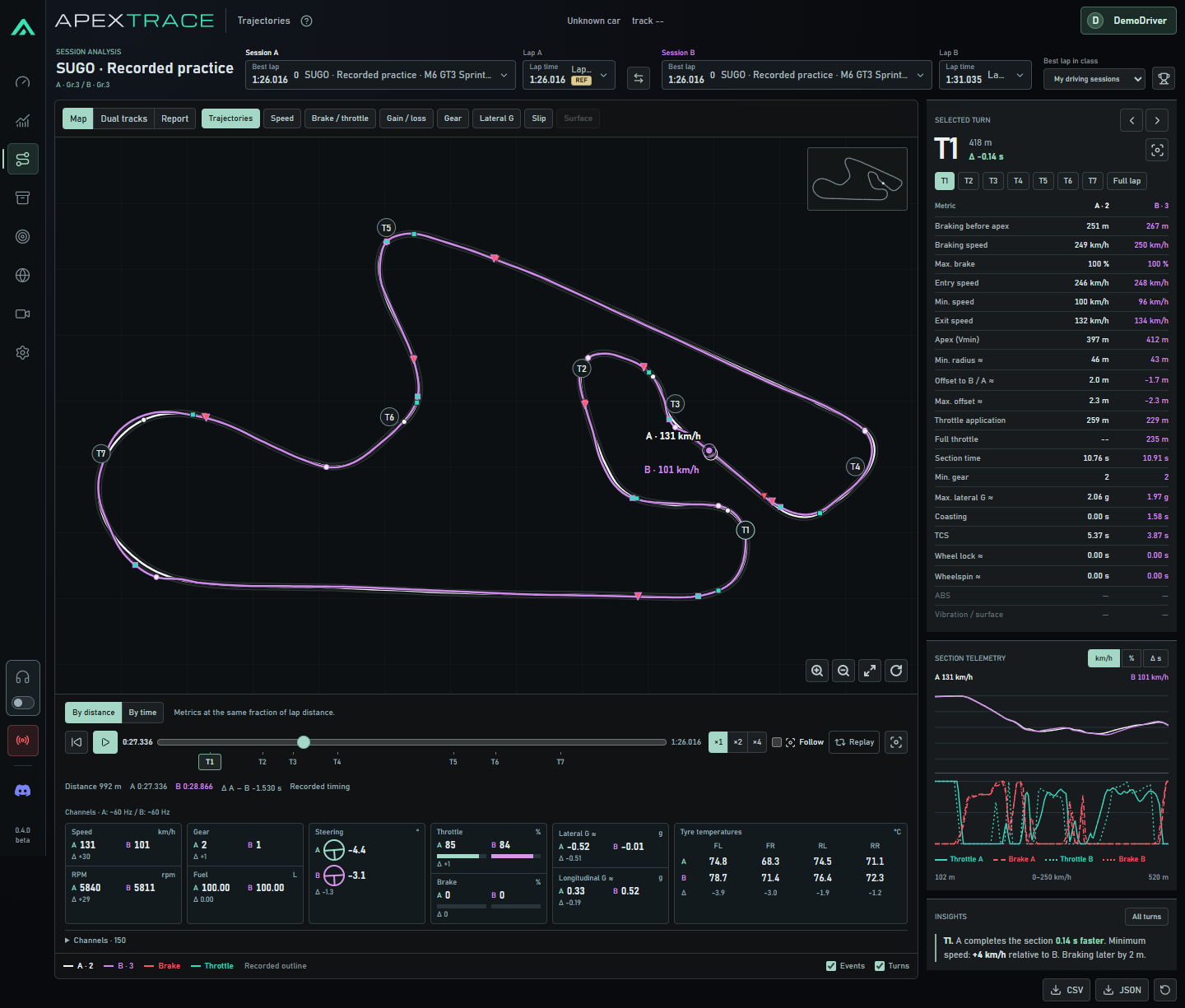
Expanded GT7 telemetry recording. Analysis now includes compact metrics, steering position and all four tyre temperatures. Playback sits below the map; A/B comparison supports distance or time alignment. Available segments of incomplete recordings are retained, and game coordinate jumps no longer create false connecting paths.


Session sharing and browser analysis
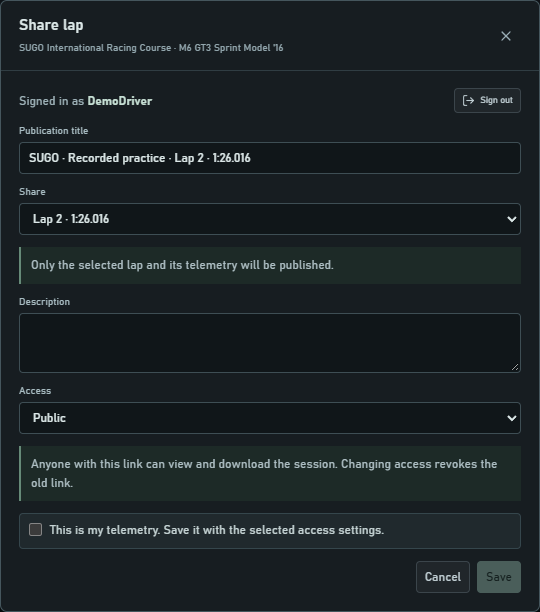
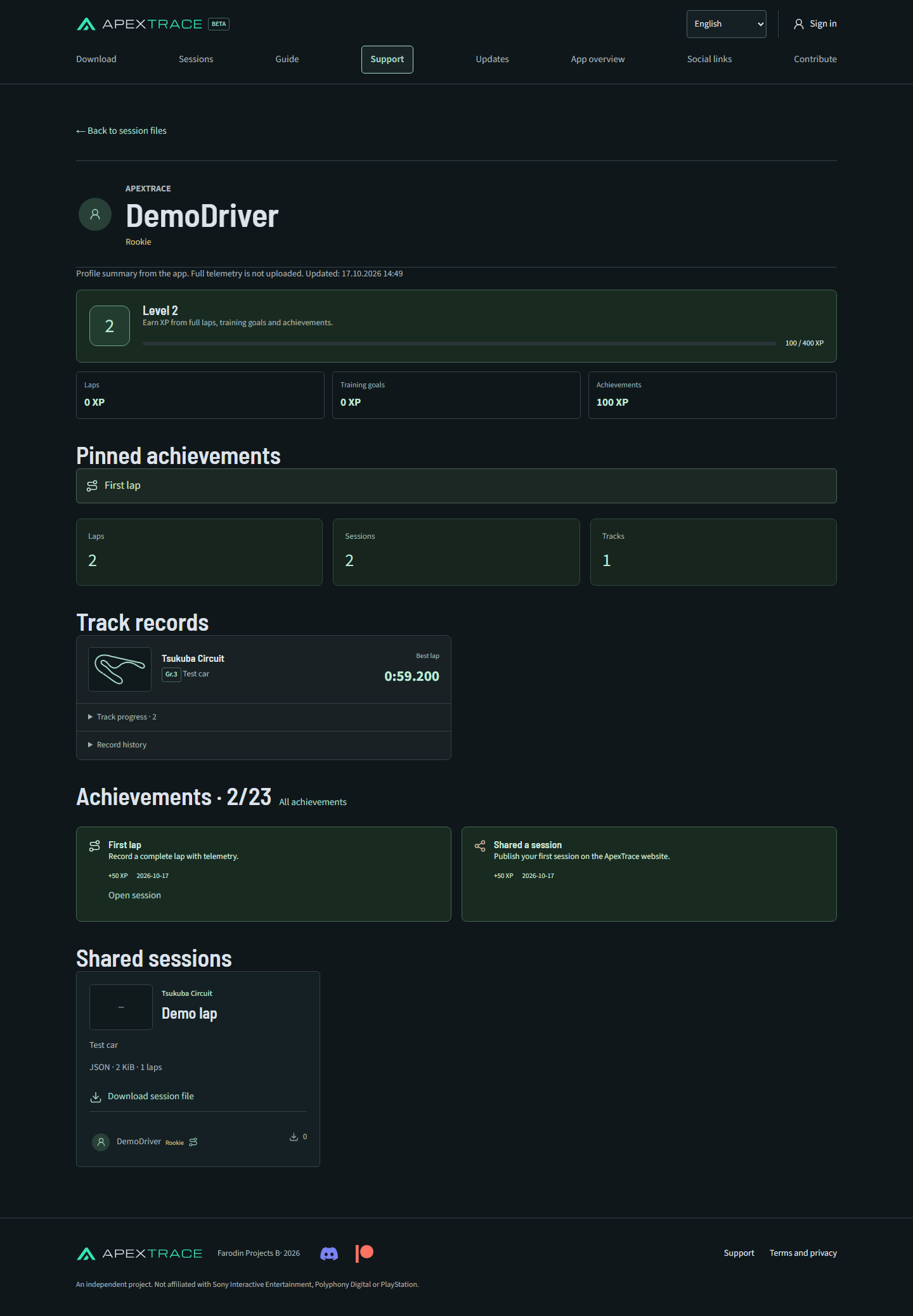
Share sessions or individual laps with public, private or link-only access and view analysis in the browser. Website profiles show achievements and records, with separate settings. Private profiles can still publish public sessions. Session comments, reports and a moderator role are included.
Playback, voice engineer and usability
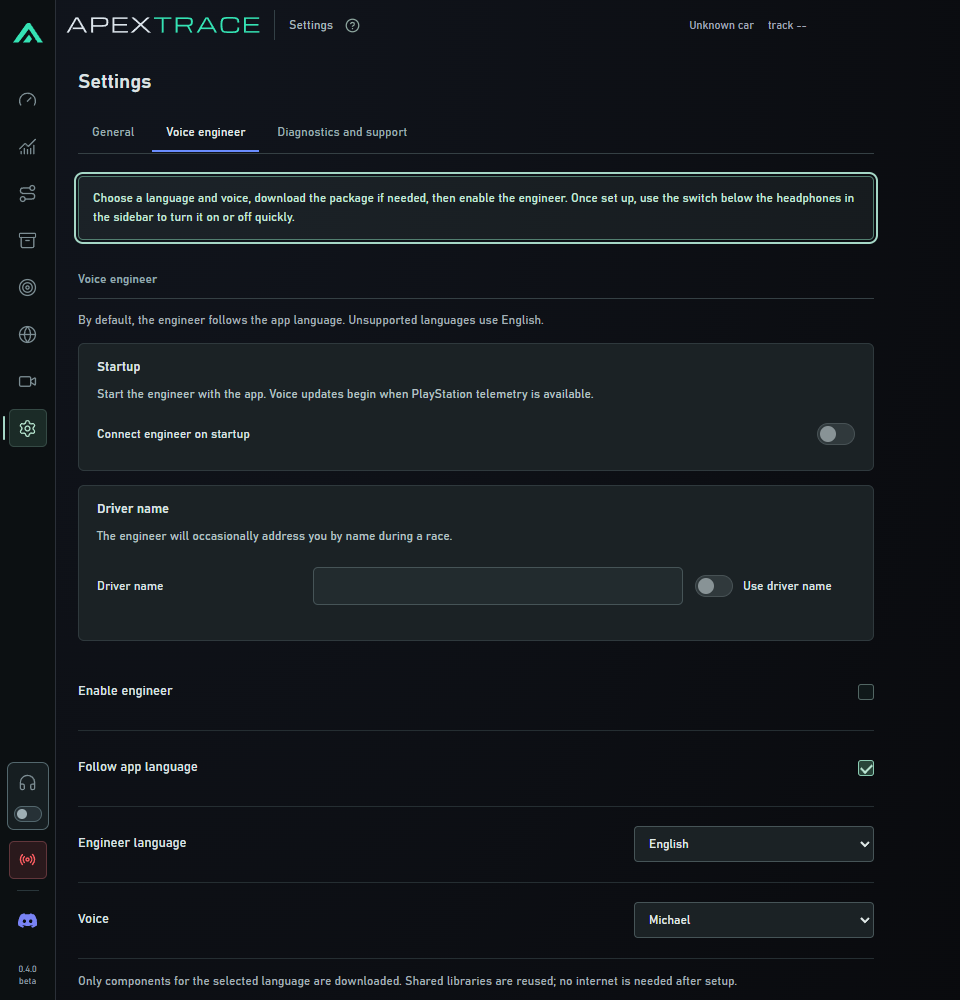
Playback uses a round handle and the familiar app typography. A quick engineer switch sits below the headphones; setup guidance opens if the voice is not ready. Analysis, session and settings tours have been updated. Downloaded voices are retained during data migration. Support tickets accept up to 10 files, 4 MiB each and 16 MiB total.
Section telemetry charts no longer show black filled areas. Engineer auto-start is now in Settings → Voice engineer. The headphones and quick switch share one outlined control group; enabling an unconfigured voice opens setup guidance.
Seven appearance themes
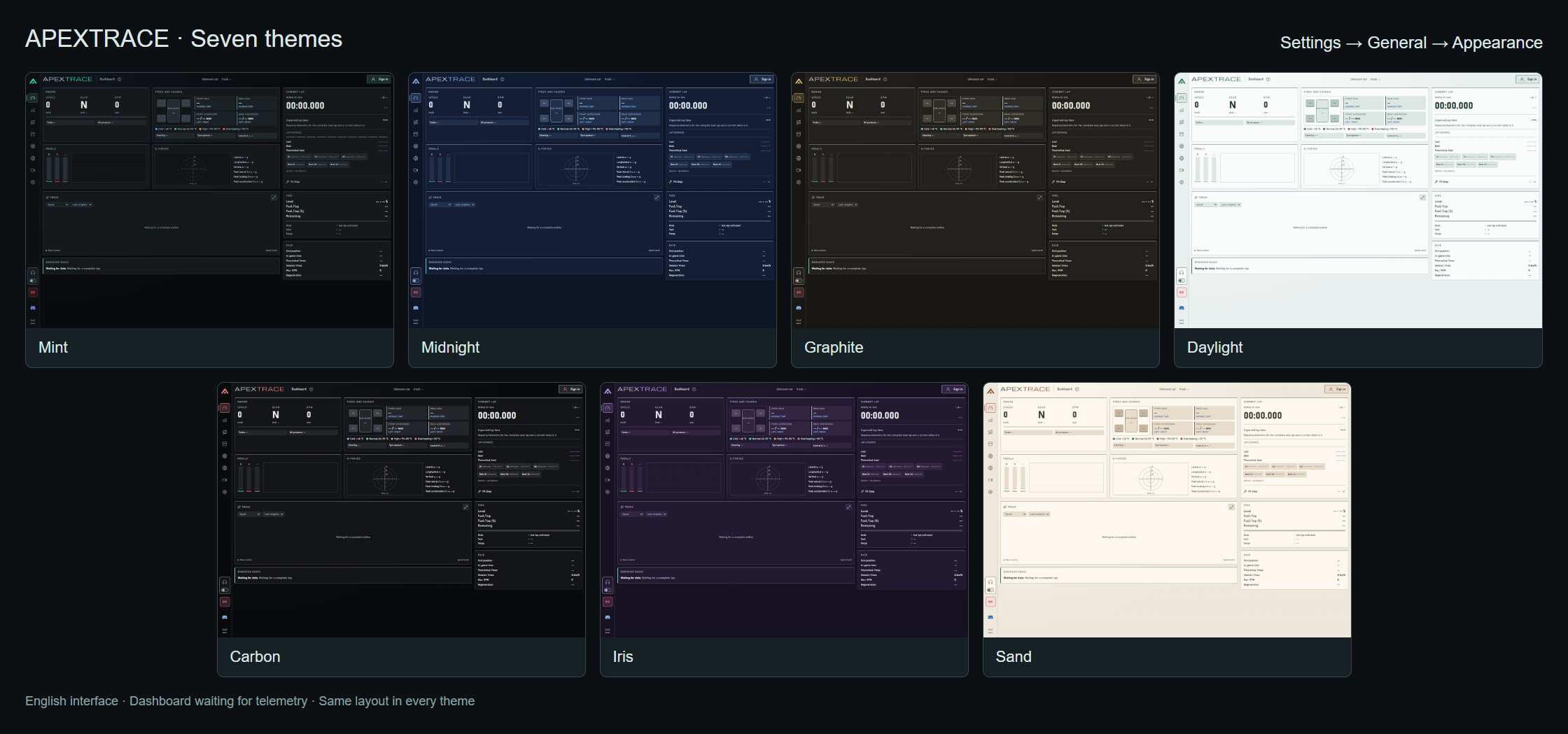
Settings → General now offers Mint, Midnight, Graphite, Daylight, Carbon, Iris and Sand. Miniatures preview the background, panels and accent before selection; choosing a theme immediately updates the whole app. Your choice is remembered between launches. Mint retains the original dark colours and logo. Other themes cover pages, tables, dialogs, charts and the logo while metric colours keep their meaning.
Two light themes
Daylight uses cool light surfaces; Sand combines a cream background with a terracotta accent. The logo follows the selected palette.
The settings tour now includes a dedicated appearance step that highlights the theme selector.
Car data, tracks and release illustrations
Updated car data and Sportsland SUGO geometry. Website release notes support inline images.
Installation and data migration
Windows data moves to %LOCALAPPDATA%\ApexTrace\Data with copy verification and the old folder retained. Close the previous version before first launch. Log: logs\application.log. Support: [email protected].
The first launch now shows the data-transfer stage and progress. Existing voice packages are preserved; obsolete engine versions are cleaned up automatically while current packages are retained. The installer uses ApexTrace branding with telemetry graphs.
Compatibility and limitations
Website features require the 0.4.0 server patch. Automatic archive uploads and community lap recommendations remain future features. Windows x64, beta.
Explore the current features
Known limitations
Beta · not Windows code-signed. This is a beta. SmartScreen may warn about an unknown publisher. Do not disable Windows protection; verify the source and SHA-256 checksum.
Download ApexTrace 0.6.6