

APEXTRACE / 0.6.0 BETA
ApexTrace 0.6.0 — Make every session count
Train with a clear goal, see changes in your driving, take sessions between devices and build your stream with customisable ApexTrace widgets.
0.6.0 beta
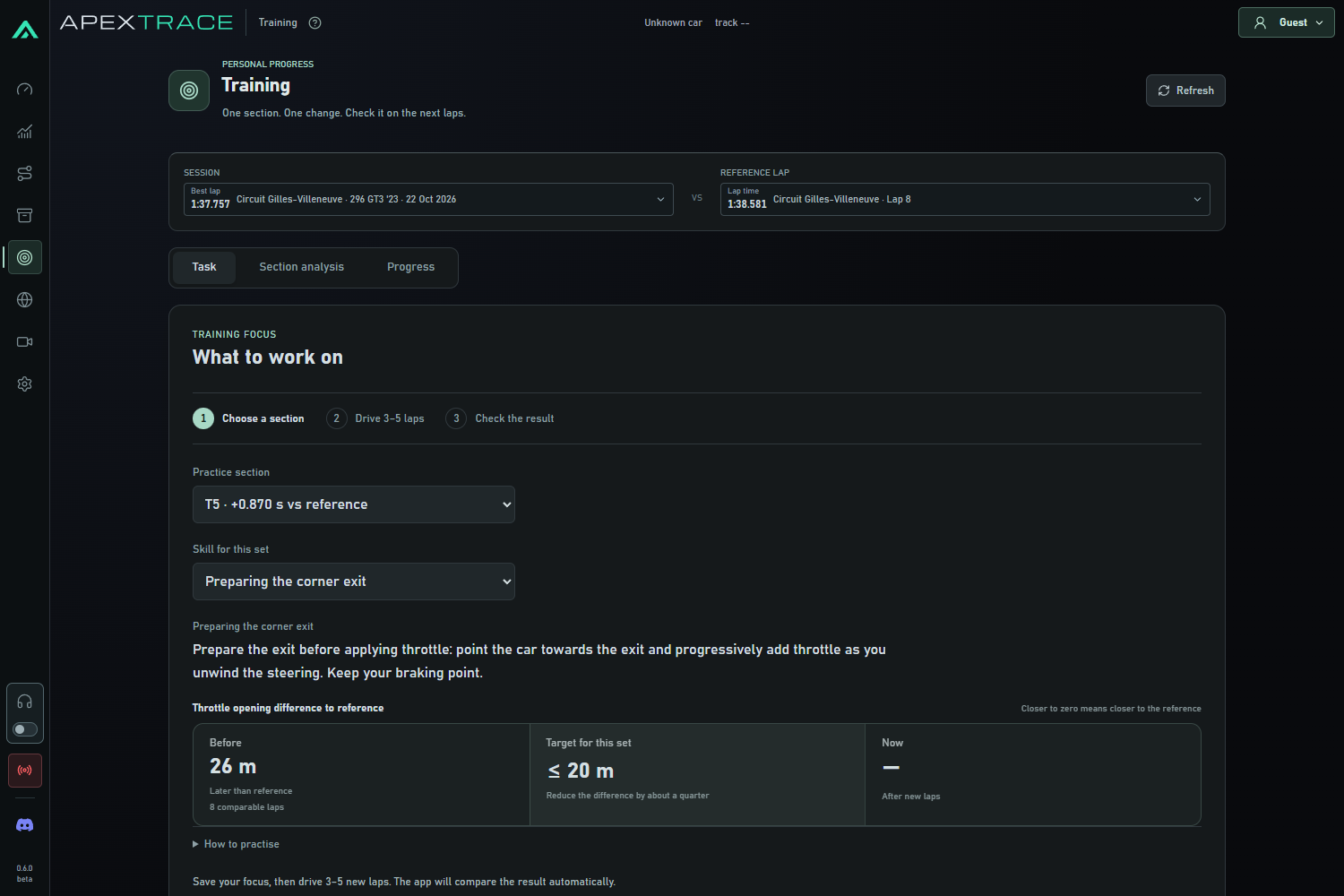
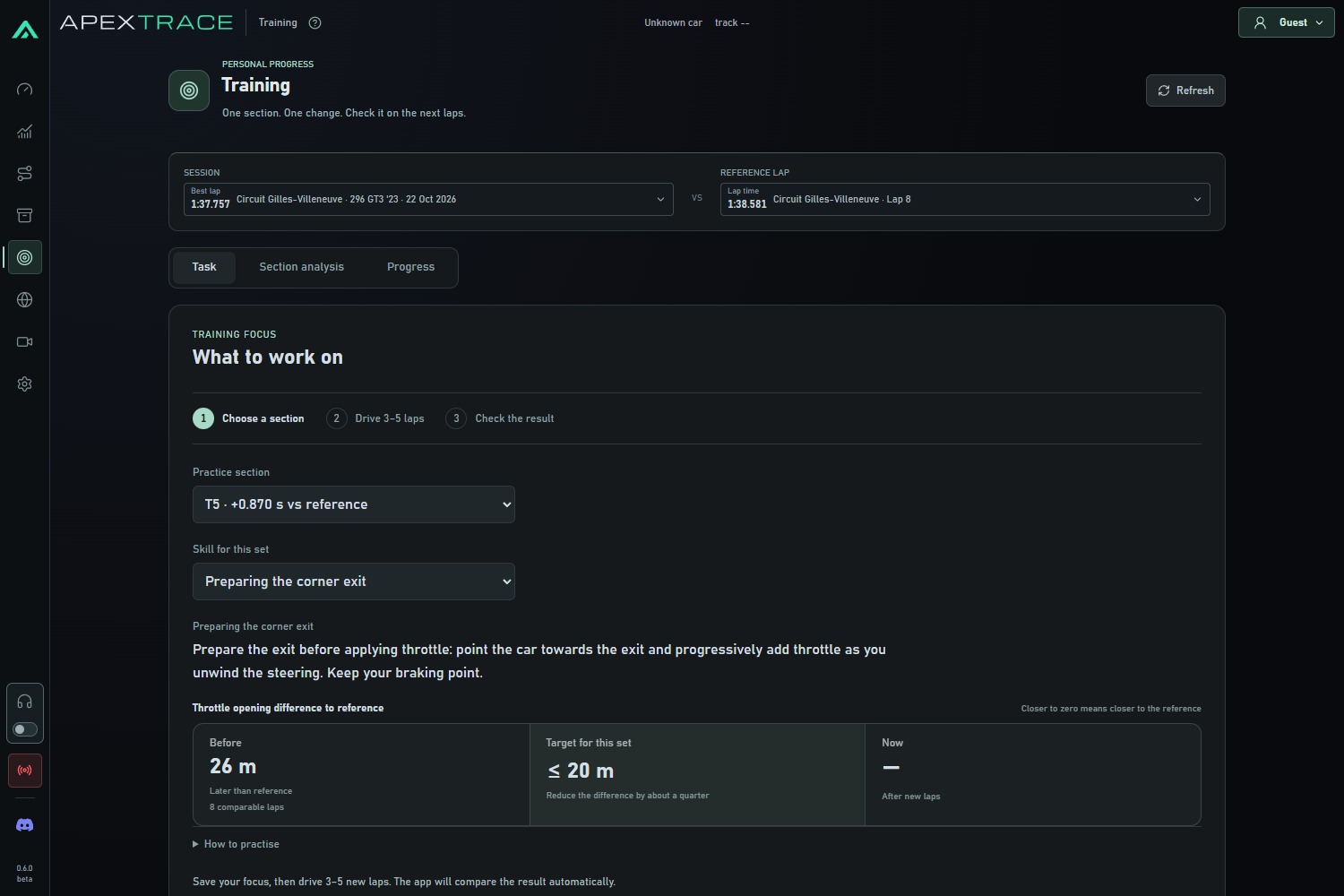
Training with a clear outcome
Choose one section and one focus: braking point, brake release, throttle application, coasting, minimum speed or consistency. ApexTrace shows your baseline, a target and what to try on your next run.
- Find a suitable reference for your track and car, then save a training task.
- Review a series of new laps, with technique, section time and exit speed shown separately.
- See when there is too little evidence or a gain comes at the expense of your exit. Existing laps do not count as new practice.
Telemetry that is easier to read
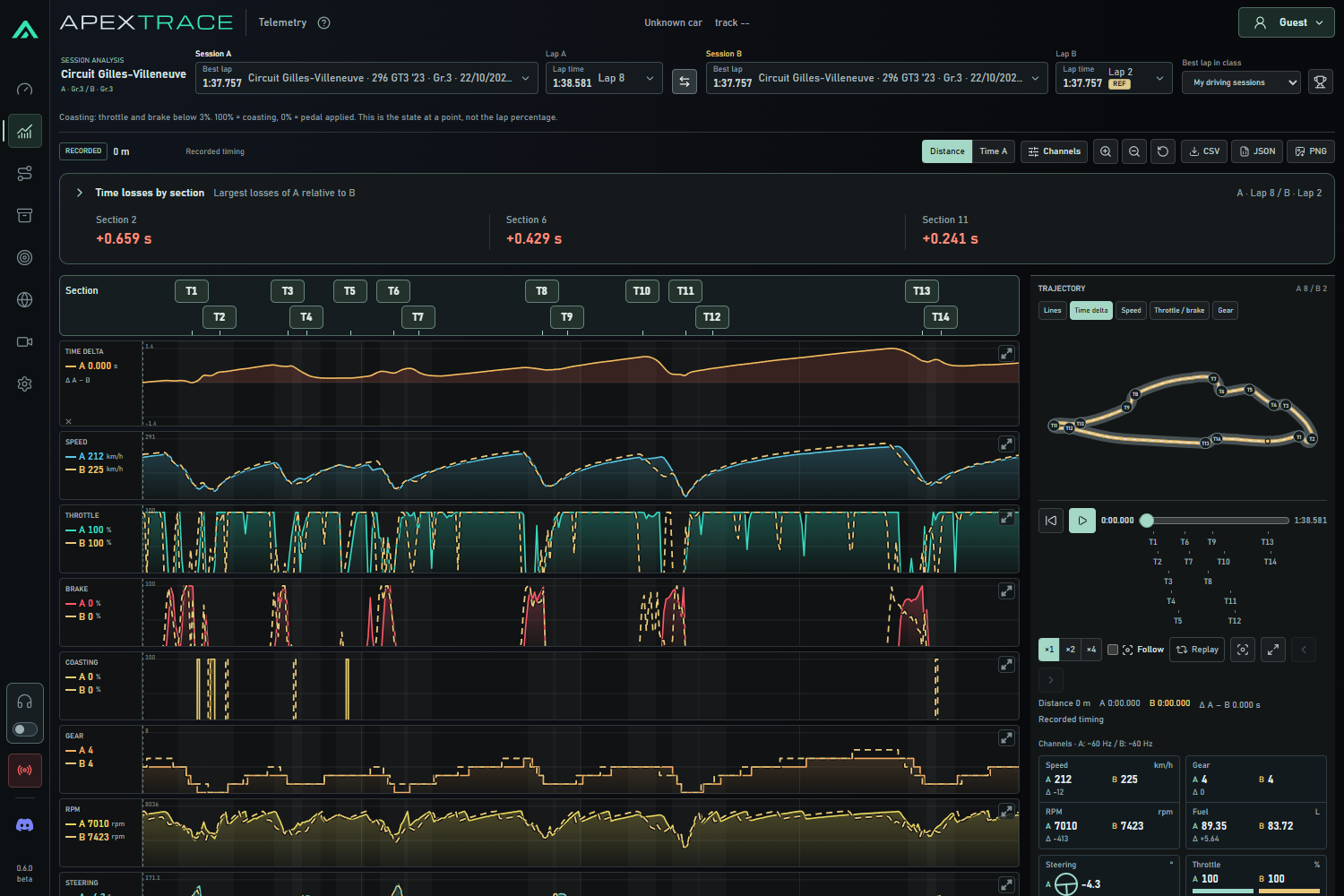
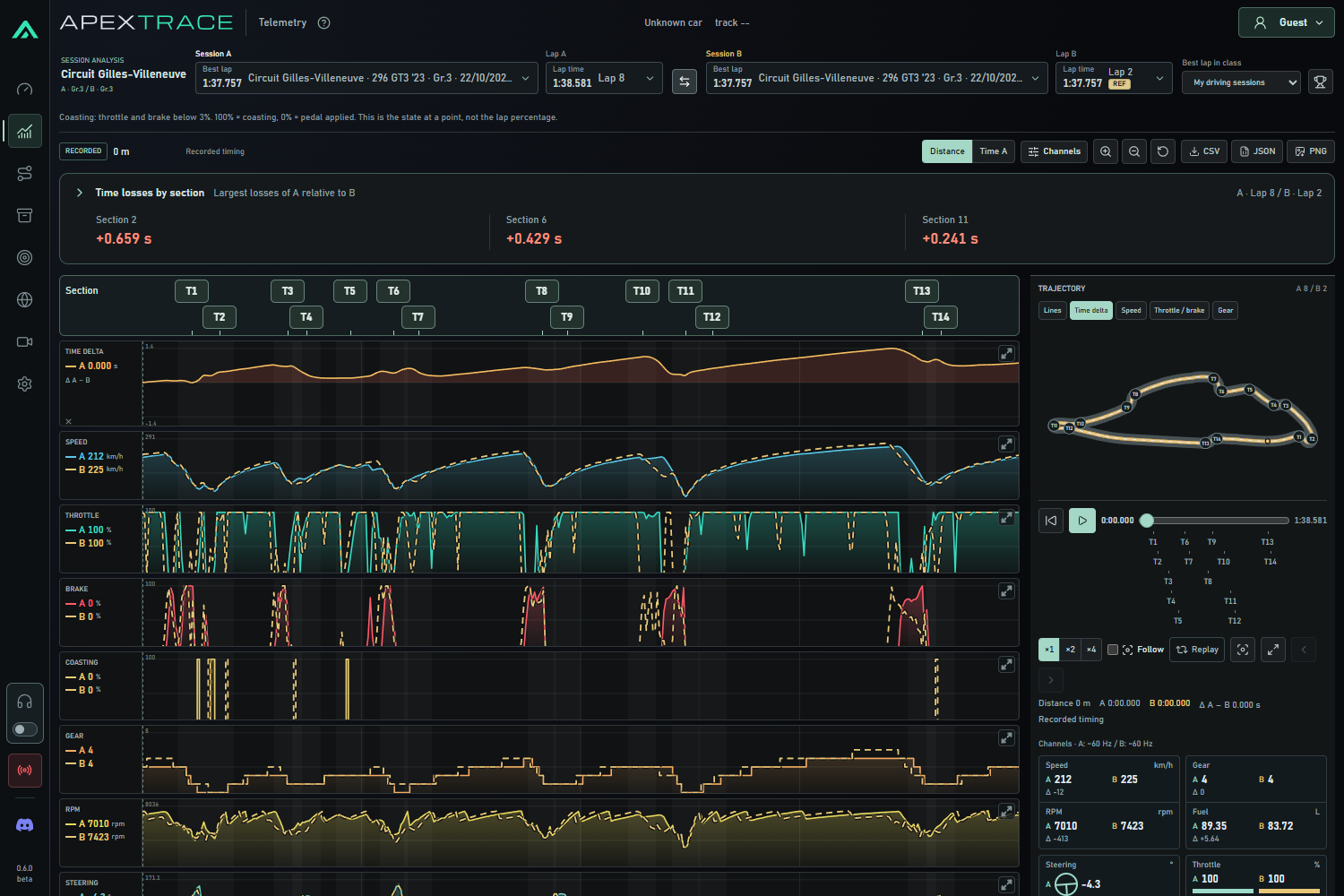
Your main lap uses a coloured line with a light fill; the reference uses a contrasting dashed line. Coasting shows where you use neither throttle nor brake. Corner labels are clearer too.
Section losses initially show just the section and time lost. Expand a section for the comparison and the evidence behind its tip.
Your sessions on the device you need
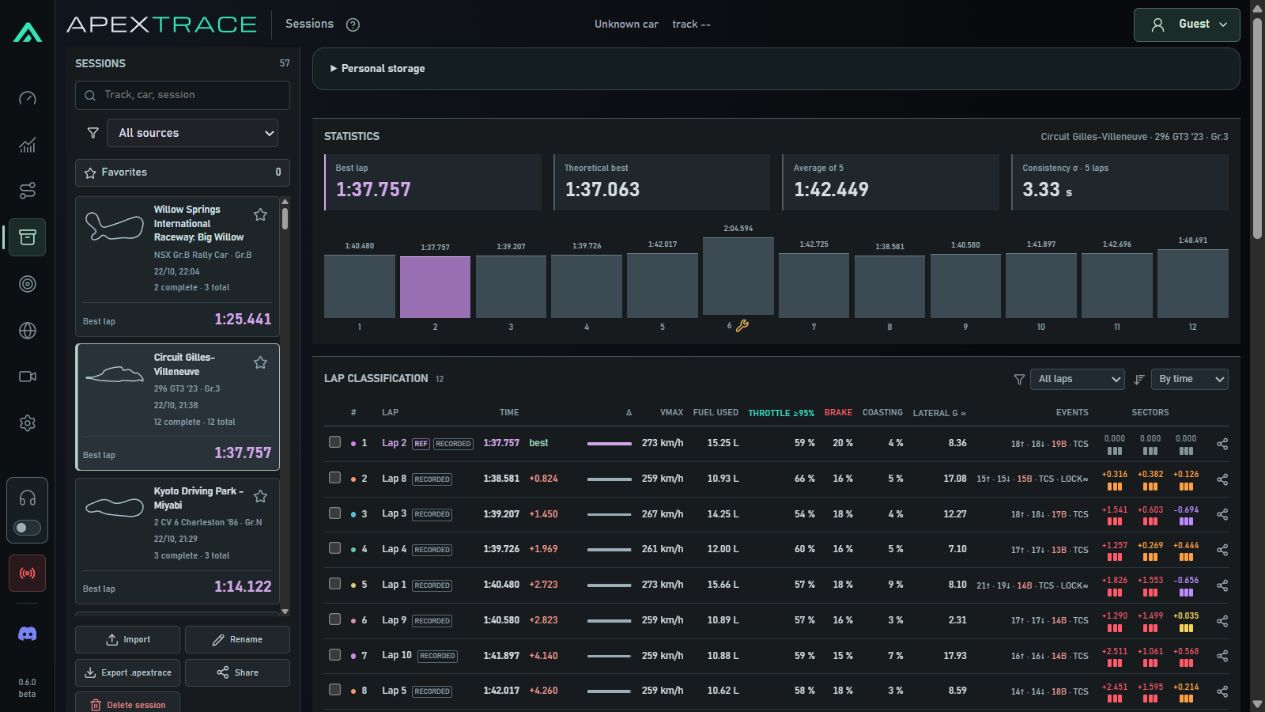
Enable personal storage in the app, save a selected session and restore it on another computer. Cloud storage is off by default and uploads are your choice. On the website, you can share a stored session in the player sessions catalogue.
Keep up to 10 recent sessions within 80 MiB; large recordings may leave room for fewer. When storage fills, the oldest cloud copies are replaced. After 180 days of inactivity, cloud copies may be cleared with warnings 30 and 7 days beforehand; returning renews storage. Local sessions and progress are not deleted.
During beta, each account can keep up to 5 session publications. This limit will be reviewed later.
One computer, several drivers
Each signed-in user has their own sessions, tasks and progress. Add user opens sign-in for another account. Signing out switches to the single guest profile; signing back in restores your archive.
Easier recording storage and playback
.apextrace files preserve recorded telemetry without data loss and use less space. Export is designed for long sessions up to two hours within the format limits. Preview a recording before adding it; an existing session opens without an extra copy. Exported filenames are more informative.
Widgets for your streams
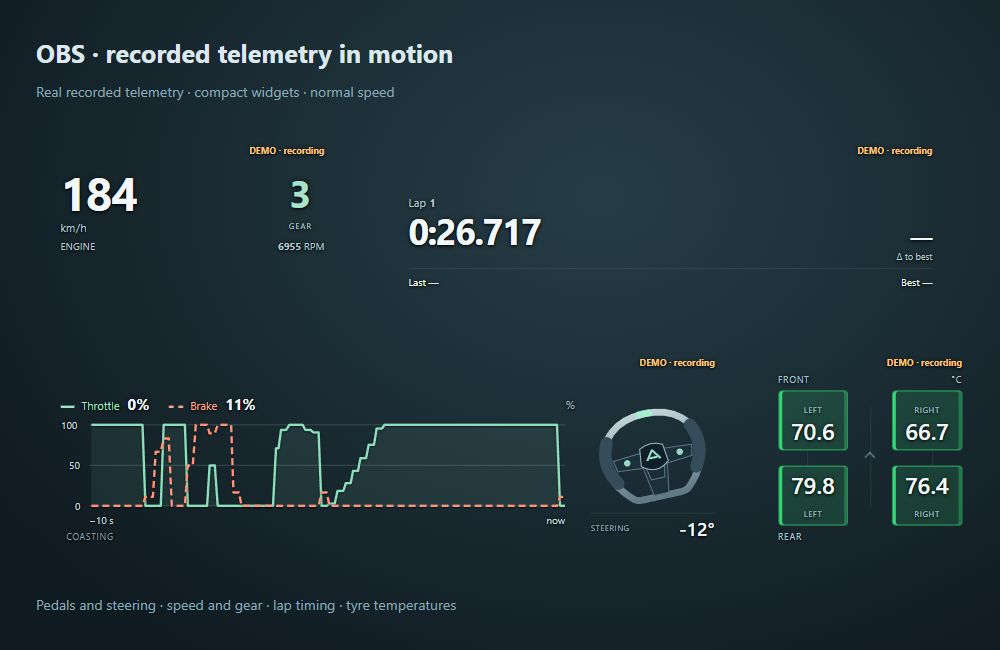
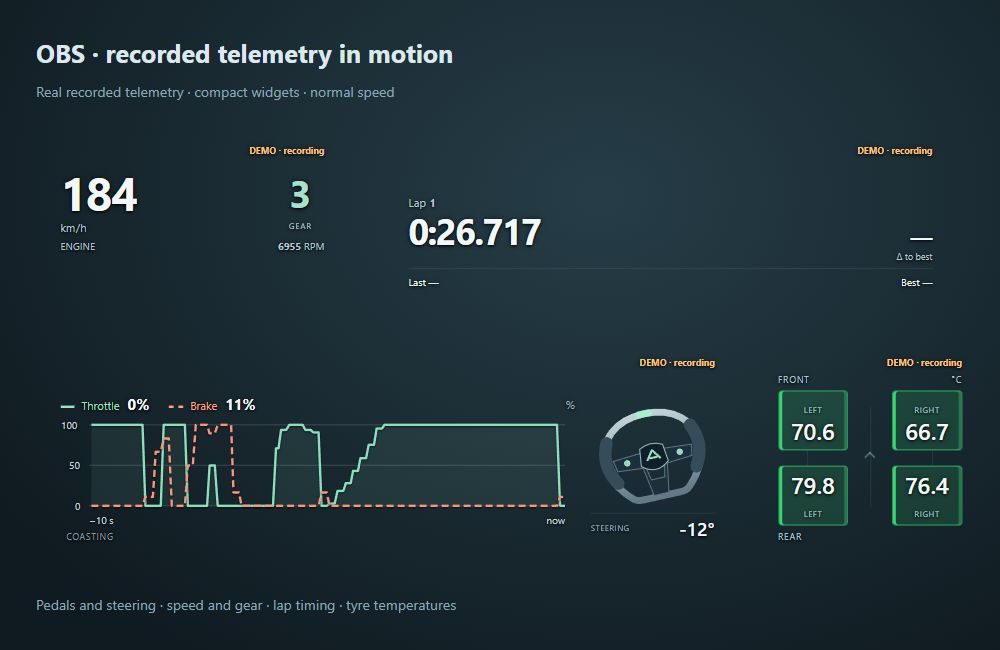
Build an OBS scene from separate widgets: pedals and steering, speed and gear, lap timing, delta, fuel and colour-coded tyre temperatures.
Preview changes to the background, widget size, text, graph height and steering wheel size. The ApexTrace label is on by default only for Pedals + steering, and can be toggled for every widget. Delta and fuel forecasts appear when the necessary data is available.
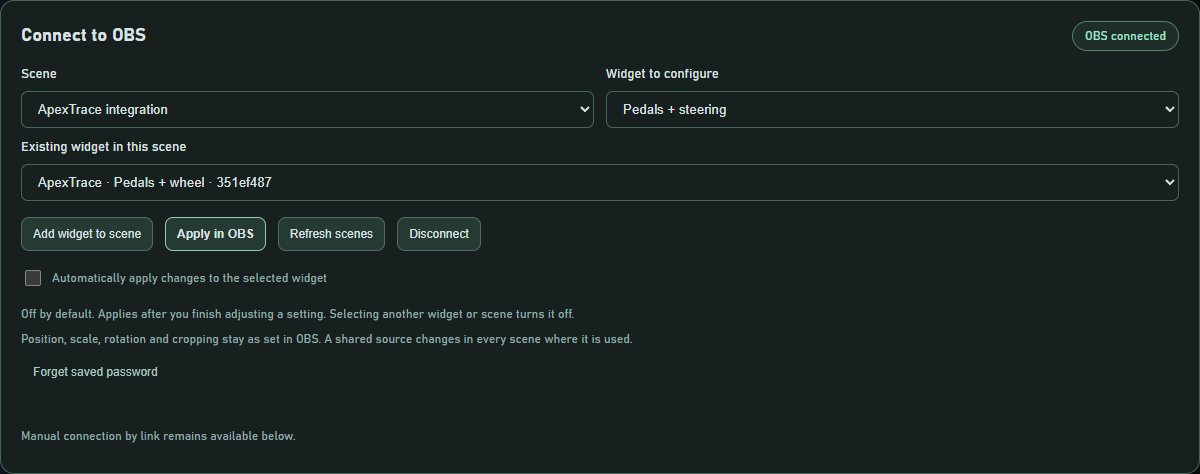
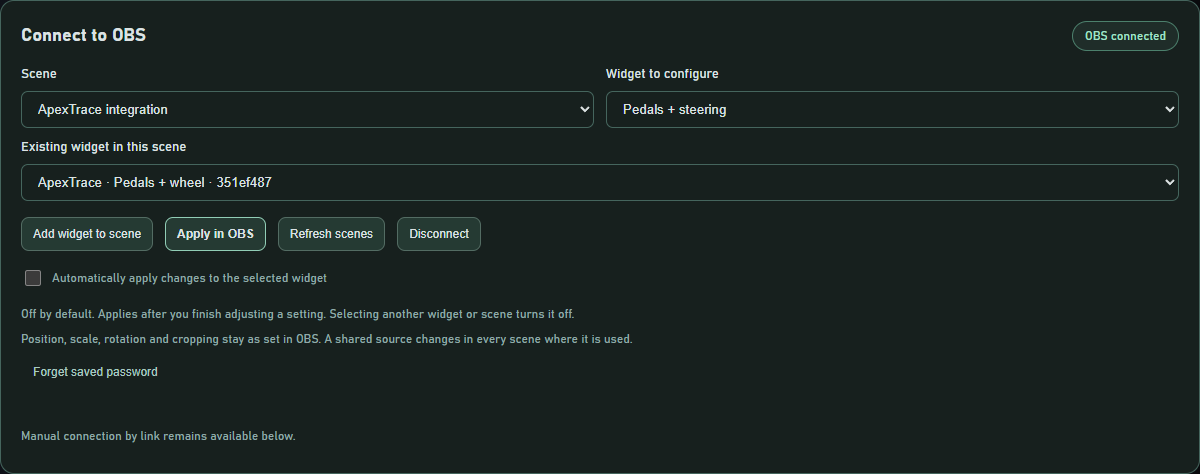
Connect ApexTrace to OBS, choose a scene and add widgets directly from the app. Apply in OBS updates their appearance and dimensions while preserving their position and scale. Automatic updates are optional and off by default; manual links remain available.
Easier to get started and keep driving
- A demo based on real recorded laps helps you explore without connecting a console.
- Engineer setup starts with choosing and installing a voice. Existing voices remain available, with required packs downloaded separately.
- New sessions you drive earn XP for distance. Previously earned XP stays, with more achievements and titles to unlock.
- The app has a new internal foundation and improved failure handling. Diagnostic reports are sent only with your consent.
Before updating
Finish your session and close the app. Version 0.4.0 data is retained, and a backup is created before the database upgrade. Returning to 0.4.0 requires that backup: do not open the upgraded database with the older app. Export any later sessions from the new version first.
Saved training tasks stay on their computer and are not transferred through cloud storage.
Explore the current features
Known limitations
Beta · not Windows code-signed. This is a beta. SmartScreen may warn about an unknown publisher. Do not disable Windows protection; verify the source and SHA-256 checksum.
Download ApexTrace 0.6.6