

Where do I brake earlier?
Compare braking points and brake input to inspect the corner entry.
LAP COMPARISON AND GRAN TURISMO 7 TELEMETRY
Compare your laps and see where speed, braking and racing lines differ.
Windows 10/11 x64 · PlayStation 5 · Same local network
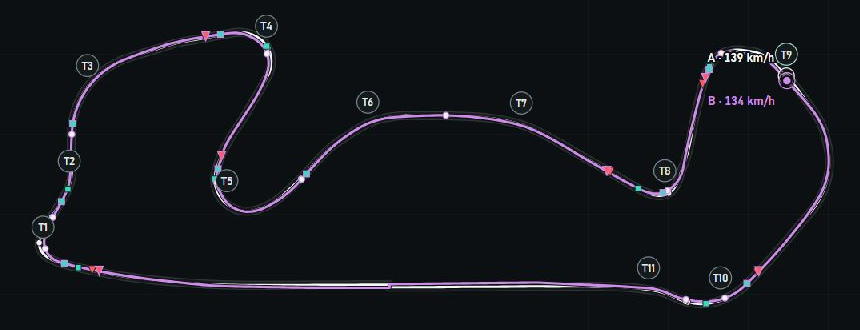
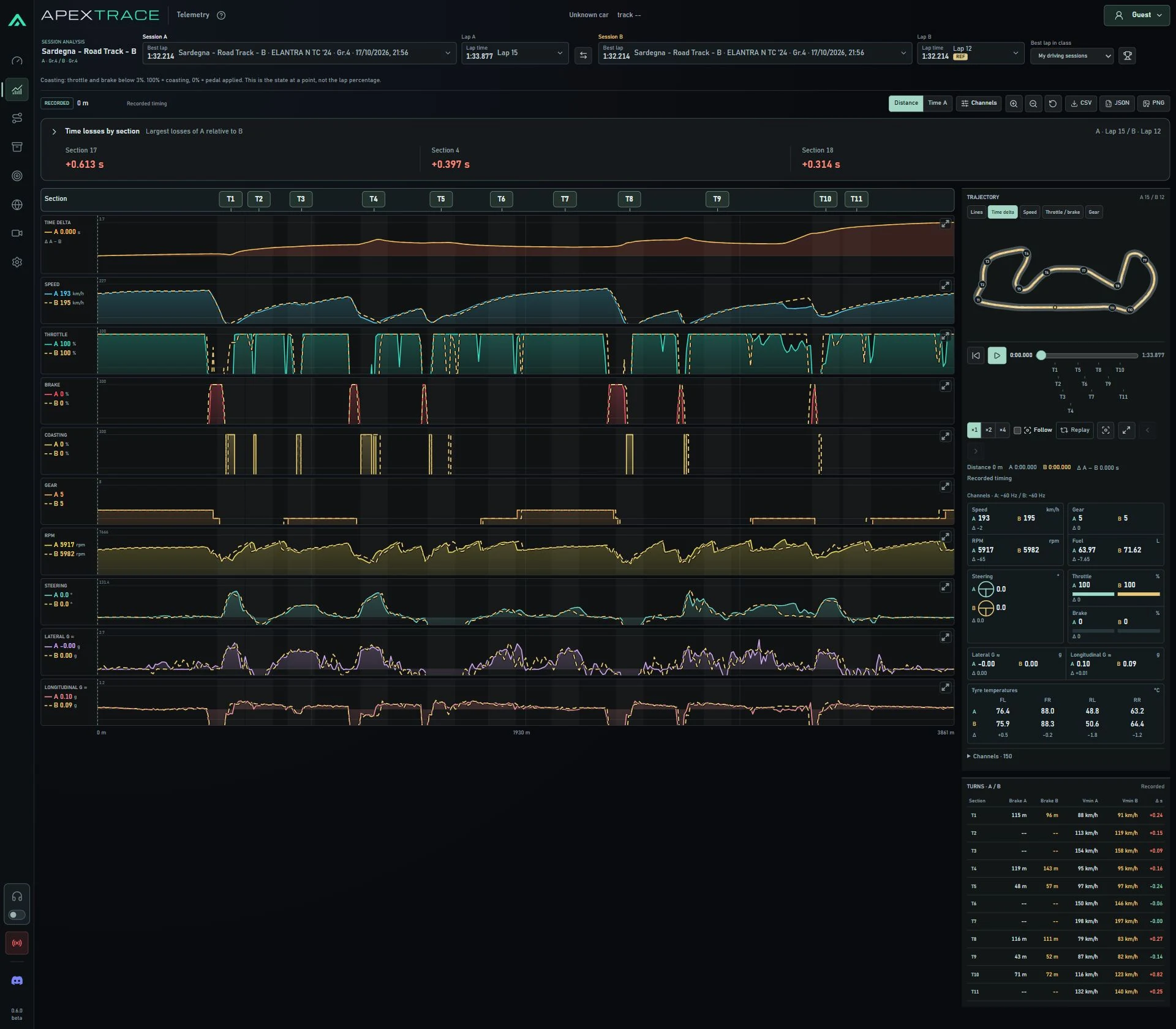
A / B
ApexTrace aligns your laps so you can see where you gain or lose time. Use the data to understand your driving and decide what to try on track.
Read the full comparison and its methodReal recording · Sardegna B · Laps 1 and 5
Compare braking points and brake input to inspect the corner entry.
Check minimum speed and the phase of the corner. Compare the line and exit.
See when you apply throttle and what happens to speed through the exit.
The curves use the same track positions. Differences alone do not establish the cause of lost time; lap conditions matter too.
Capture telemetry from your Gran Turismo 7 sessions on PS5.
Compare speed, braking and racing lines through each section.
Use the data to choose what to change and practise it on track.
STEP BY STEP
Start with similar conditions. Then find a section and see which inputs differ.
Open the guideThe same track layout and car. Tyres, setup, assists, fuel and traffic also affect lap times.
Select laps A and B, find a change in the time gap and zoom into that section.
Δ = A − BPositive means A is behind BLook at braking, speed, throttle and the racing line. Assess the entire corner exit: the gap often continues along the straight.
FROM A REAL RECORDING
Lap B is slower than A · 500 metres
By the end of the section, the speed gap is only 1.2 km/h. But B has already taken 0.438 s longer to get there.
In this recording, A returns to full throttle earlier. That suggests checking the transition from braking to acceleration on your next run.
Read the full comparison and its methodFull-resolution desktop recording, nominally 60 Hz: 5378 samples for A and 5390 for B. B’s x/z positions are projected onto A’s path and interpolated linearly. The section boundaries are editorial checkpoints, not official GT7 sectors. Maximum lateral separation within this section is about 5.4 m.
Equal tyres, setup, assists and traffic are not established. Two laps show an observation, not a proven cause or a guaranteed gain. This chart matches shared positions on the track; the app matches distance fractions.
BEFORE YOUR FIRST RUN
What you need to record and how to read a comparison.
Yes. ApexTrace receives GT7 telemetry from PS5, so recording does not require a wheel. The Sardegna example on this page was driven with a controller.
Recording and full A/B comparison require ApexTrace on a Windows PC. Connect your PS5 and PC to the same local network. You can also view published recordings in a browser on the website.
Yes, you can select laps from recorded or imported sessions. For a useful comparison, choose the same track layout and account for differences in the car and conditions.
Not necessarily. Later braking can compromise the exit and acceleration. Check the time through the whole section and speed further down the straight, not just the braking point.
Set up on your home network. Connect your Windows PC and PlayStation 5, open Gran Turismo 7 and start recording your laps.
Open the guideAPEXTRACE
Read articles, explore other players’ recordings and open recorded telemetry in your browser.
Install ApexTrace for Windows and take a closer look at your driving.
ApexTrace 0.6.6 · Windows x64 · 7.1 MiB
